YouTube to MP3 Converter

Download
All
  • All
  • 4Shared
  • Jamendo
  • Archive
AmoyShare
Free MP3 Finder

or Install Pro MP3 Downloader >

0 songs in the playlist.

Want to batch download the whole playlist to MP3 in one go? Try the pro music downloader - AnyMusic MP3 Downloader >

Find music quickly and accurately with Want to batch download URLs to MP3? Try the Pro Music Downloader >

Too slow?

Speed up with pro music downloader - AnyMusic MP3 Downloader >

Too slow?

Speed up with pro music downloader - AnyMusic MP3 Downloader >

Too slow?

Speed up with pro music downloader - AnyMusic MP3 Downloader >

Too slow?

Speed up with pro music downloader - AnyMusic MP3 Downloader >

Too slow?

Speed up with pro music downloader - AnyMusic MP3 Downloader >

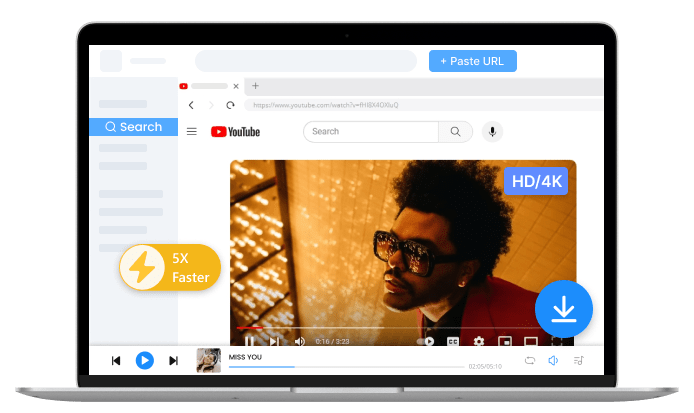
Pro YouTube Downloader - AnyUkit
  • Convert YouTube to MP3 320kpbs
  • Batch download YouTube videos to MP3
  • Download YouTube playlist & channel to MP3
  • 1,000+ sites supported

How to Convert YouTube to MP3 for Free?

Paste a URL or Search for Content

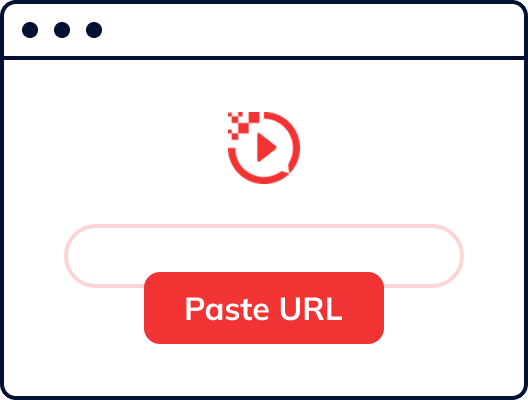
Step 1. Search for Content

Paste a video URL you are authorized to use from YouTube into the search box above, or enter a related title or keyword to find the content.

Preview Content

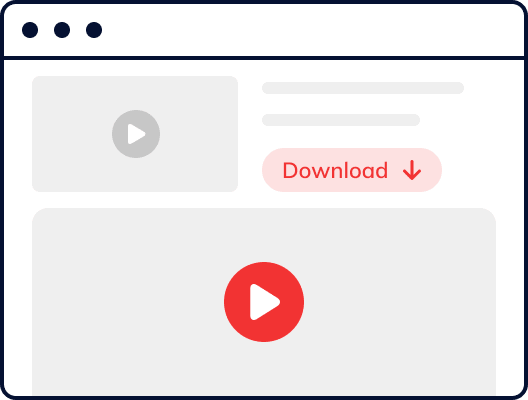
Step 2. Preview Content

This YouTube to MP3 downloader lets you preview the video. Simply click the play icon to make sure it’s the exact content you want to save.

Download YouTube to MP3

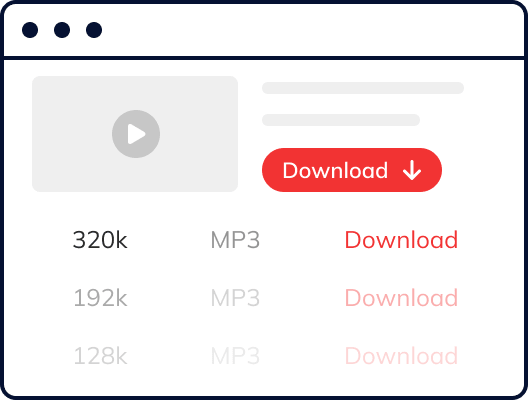
Step 3. Save YouTube to MP3

Click the Download button and select your preferred audio quality. This online tool will convert YouTube to MP3 in seconds.

Quick Tips: You can download YouTube MP3 at 320kbps with a professional YouTube downloader - AnyUkit.

Take Your Audio Further With These Smart Tools

  • Enhance Your Audio in 1 Click

    Use Audio Enhancer to improve clarity, and reduce background noise in your audio file, helping you get cleaner and more professional-sounding results from your own or authorized audio.

  • Convert Audio to 50+ Formats

    With Audio Converter, you can quickly convert downloaded audio into other formats such as WAV, FLAC, or AAC, making it easier to use your audio across different devices, players, and editing tools.

  • Edit & Organize Audio Metadata

    Use ID3 Tag Editor to update the title, artist, album, cover art, and other metadata of your audio files, so your personal or authorized audio library stays clean, organized, and easy to manage.

Best Free YouTube to MP3 Converter Online

This online converter lets you extract audio from videos you own or have permission to use on YouTube.
  • Convert YouTube to MP3 for Free

    You can convert authorized videos to audio for free with this MP3 YouTube converter. No account or software installation is required.

  • Fast YouTube Video to MP3 Conversion

    The YouTube link to MP3 conversion process is optimized for speed, and most conversions finish in about 10–15 seconds, depending on video length and network conditions.

  • Flexible Audio Output Options

    You can choose from multiple output formats and quality levels to match your needs, including MP3 at 128 kbps, and M4A at 129 kbps, allowing you to balance audio quality and file size.

  • YT to MP3 Converter Online

    This YT to MP3 converter runs entirely in your browser and works on both desktop and mobile devices, with no app or software installation required.

  • Safe YouTube MP3 Converter

    The free YouTube MP3 downloader provides a clean and secure experience with no misleading redirects or intrusive ads, and is intended only for lawful and authorized use.

  • No Registration Required

    You can use this YouTube to MP3 converter without creating an account or signing in. Simply paste a valid video link and start converting your authorized content instantly.

Unlock Pro-Level YouTube to MP3 Conversion

For higher audio quality and batch playlist downloads, try AnyUkit, a desktop YouTube to MP3 converter that supports 320 kbps output and faster batch processing for personal or authorized use.

  • YouTube to MP3 320 kbps

    The Pro version lets you export authorized videos to MP3 at 128 kbps, 192 kbps, or 320 kbps, and also supports converting high-resolution videos to MP3 or MP4 for personal or permitted projects, making it ideal for editing, archiving, and high-quality listening.

  • YouTube Playlist to MP3

    If you own a playlist or have permission to use it, the Pro version allows you to convert multiple items at once by simply pasting the playlist link and starting a single batch task, saving time compared with processing each item individually.

  • 1,000+ Sites Supported

    In addition to YouTube, the desktop version can extract audio from authorized content on platforms such as SoundCloud, Jamendo, Facebook, and TikTok, while requiring that all use complies with each platform’s terms and the rights of content owners.

Frequently Asked Questions

  • How do I convert a YouTube video to MP3?

    Paste a video link into the online YouTube to MP3 converter provided by AmoyShare, choose an audio quality, and export the MP3 file for personal or authorized use.

  • Is this YouTube to MP3 converter free and fast?

    Yes. This YouTube to MP3 converter is free to use, and most conversions finish in about 10–15 seconds, depending on video length and network conditions.

  • Is this YouTube to MP3 converter safe?

    Yes. AmoyShare YouTube to MP3 converter online offers a clean and secure experience without misleading redirects or intrusive ads and is intended only for lawful, authorized use.

  • Is it possible to convert 4K YouTube videos to MP3 online?

    Yes. High-resolution videos, including 4K, can be converted to MP3 as long as you own the content or have permission to use it.

  • What audio quality should I choose?

    You can select different output qualities depending on your needs:
    • MP3 128 kbps – smaller file size for casual listening
    • MP3 192 kbps – balanced quality and size
    • MP3 320 kbps – highest audio quality for editing or archiving
    • M4A 129 kbps – efficient format with good sound quality and smaller files

  • Which devices and browsers are supported?

    The online converter works on both desktop and mobile devices and supports modern browsers such as Chrome, Edge, Safari, and Firefox, without requiring any additional software.

  • What is the maximum video length I can convert?

    The online YouTube to MP3 converter supports videos up to 10 minutes for a faster and more stable experience. For longer videos or large files, you can use AnyUkit, which has no length or file size limits for authorized content.

  • What makes the AmoyShare YouTube to MP3 converter different from other tools?

    AmoyShare YouTube to MP3 converter is regularly updated to keep downloads working reliably, with a higher success rate and faster conversion speed in real use. It also offers a clean, secure, ad-free experience and is completely free to use.

Give Us 5 Stars!

4.9
5
of 5 stars
reviews

Show your love by giving 5 stars!
We’ll continue to offer the best YouTube to MP3 service.

Copyright Notice