YouTube Playlist Downloader

Download
All
  • All
  • 4Shared
  • Jamendo
  • Archive
AmoyShare
Free MP3 Finder

or Install Pro MP3 Downloader >

0 songs in the playlist.

Want to batch download the whole playlist to MP3 in one go? Try the pro music downloader - AnyMusic MP3 Downloader >

Find music quickly and accurately with Want to batch download URLs to MP3? Try the Pro Music Downloader >

Too slow?

Speed up with pro music downloader - AnyMusic MP3 Downloader >

Too slow?

Speed up with pro music downloader - AnyMusic MP3 Downloader >

Too slow?

Speed up with pro music downloader - AnyMusic MP3 Downloader >

Too slow?

Speed up with pro music downloader - AnyMusic MP3 Downloader >

Too slow?

Speed up with pro music downloader - AnyMusic MP3 Downloader >

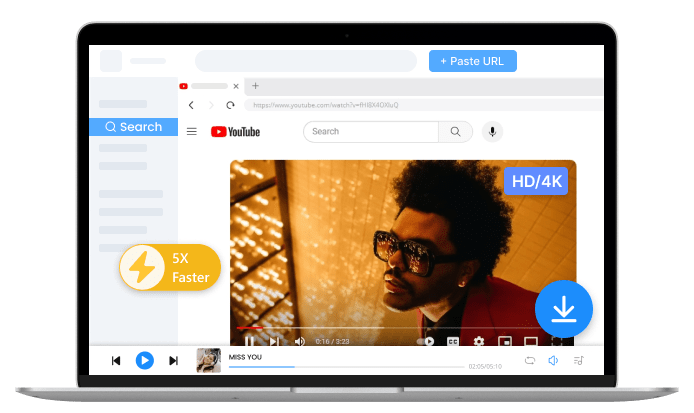
Pro YouTube Downloader - AnyUkit
  • Save music video playlist in 1080p/4K
  • Convert YouTube playlist to MP3 in 320k
  • One Click Download YouTube Playlist
  • 1,000+ sites supported

How to Download An Entire YouTube Playlist?

Paste Playlist Link

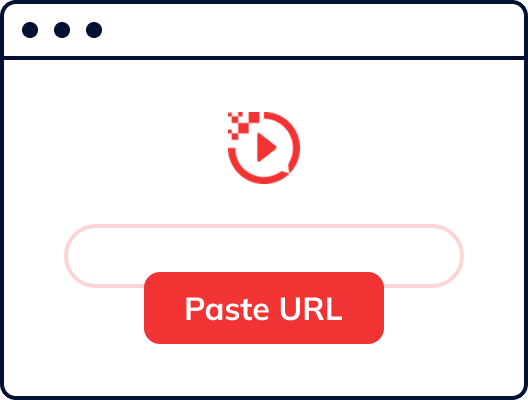
Step 1. Paste Playlist Link

Copy the YT playlist link and paste it into AmoyShare YouTube Playlist Downloader.
Preview Content

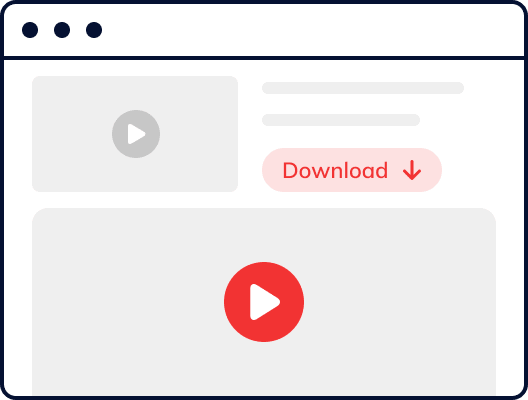
Step 2. Preview Content

Preview the playlist to make sure it contains the videos you want to download.
Download YT Playlist

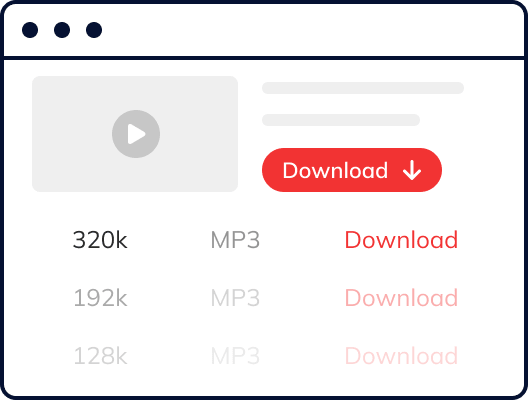
Step 3. Download YT Playlist

Set the MP3/MP4 output and save the playlist for offline listening or viewing.

Quick Tip: To download an entire YouTube playlist in one go, you'd better try the Pro YouTube Downloader.

Extend Your Workflow with More Media Tools

  • Audio Converter

    Convert audio files into different formats to suit various devices and playback needs. Easily switch between formats like MP3, M4A, or WAV for better compatibility and flexibility.

  • Audio Enhancer

    Improve audio quality with simple enhancement tools. Adjust clarity and balance to achieve a more enjoyable listening experience for music, lectures, or other audio content.

  • ID3 Tag Editor

    Organize your audio library by editing metadata such as title, artist, album, and genre. Keep your files well-structured and easy to manage across different media players.

Why Choose AmoyShare YouTube Playlist Downloader Online?

  • Free & Easy to Use

    Start downloading in seconds with a simple interface. Just paste the link to download video from URL online — no registration, setup, or technical steps required.

  • No Ads & Plugins

    Enjoy a clean and distraction-free experience with no intrusive ads, pop-ups, or third-party plugins. Everything runs directly in your browser for a smoother and more reliable workflow.

  • MP3/MP4 for Choice

    Download videos in MP4 (480p) or convert them into MP3 (128kbps) or M4A (129kbps). A practical option for saving lectures, courses, or other permitted content for offline viewing or listening.

  • Full Playlist Download Support

    Download full playlists in one go with automatic parsing of each video. Easily handle lecture series, tutorials, or music collections, especially playlists with dozens of items.

  • Stable Download with AI

    Built with continuously updated AI-assisted technology to ensure stable processing of long videos and large playlists. It helps reduce interruptions and improves success rates during downloads.

  • Fast Download Speed

    Optimized performance ensures quick downloads with no intentional speed limits. Save time when downloading long videos or large playlists without repeated waiting or manual steps.

  • 100% Online

    Fully web-based and accessible across devices including Windows, Mac, iPhone, and Android. Works smoothly on Chrome, Safari, and Firefox without installation or extra configuration.

  • Private & Secure

    We do not store your links or downloaded files. Your activity remains private, ensuring a secure and reliable downloading experience.

Take Your YouTube Playlist Downloader to the Next Level

Looking for more control and efficiency when downloading playlists? The online YouTube playlist downloader works well for quick tasks, but when it comes to large playlists, higher quality, or faster speed, the Pro version offers a more powerful solution. It’s especially useful for saving lecture series, courses, or long video collections with a smoother and more efficient workflow.

  • Batch Download Playlists

    Download full playlists in one go instead of processing videos one by one. The Pro version allows you to batch convert playlists to MP3 or MP4, saving significant time when handling large collections like lectures, courses, or music playlists.

  • 3X Faster Download Speed

    Enjoy up to 3X faster download speed with optimized performance. The Pro version helps you process large playlists and long videos more efficiently, reducing wait time and improving your overall downloading workflow.

  • Download in Higher Quality

    Get access to higher quality options, including 320kbps audio and HD to 4K video. The Pro version ensures better sound clarity and sharper visuals, making it ideal for offline learning, playback, and high-resolution viewing.

Frequently Asked Questions

  • How to download YouTube playlists?

    Copy the YouTube playlist URL and paste it into a playlist downloader. The tool will automatically parse the playlist, allowing you to choose MP3 or MP4 format and download all videos efficiently.

  • Can I download a YouTube playlist to MP3 online for free?

    Yes. You can use an online YouTube playlist downloader to convert playlists to MP3 for free. Just paste the playlist URL, and the tool will process and extract audio files for offline listening.

  • Can I download a YouTube playlist to MP4 format?

    Yes. You can download YouTube playlist in MP4 format for offline viewing. Simply paste the playlist link and choose MP4 as the output format.

  • How can I download a full YouTube playlist in one go?

    Use a playlist downloader that supports batch downloading. Paste the playlist link, and the tool will automatically parse all videos, allowing you to download them at once instead of one by one.

  • What is a YouTube playlist downloader?

    A YouTube playlist downloader is a tool that lets you download multiple videos from a playlist at once. It is also known as a YouTube multi downloader and usually supports formats like MP3 and MP4.

  • Is it safe to use a YouTube playlist downloader?

    Yes. Most online tools do not require registration or personal information. For safety, make sure you download publicly available or permitted content only.

  • Can I download large YouTube playlists with many videos?

    Yes. Most playlist downloaders support large playlists and can process dozens of videos automatically. For better speed and stability, a Pro version may be more efficient.

  • How do you find a YouTube playlist?

    Go to YouTube and search using keywords like "music playlist," "lecture series," or other topics you’re interested in. Open a playlist and click Play All to preview the content and order before downloading.

Give Us 5 Stars!

4.9
5
of 5 stars
reviews

Show your love by giving 5 stars!
We'll do better to provide free YT playlist downloads.

Copyright Notice