or Install Pro MP3 Downloader >
0 songs in the playlist.
Want to batch download the whole playlist to MP3 in one go? Try the pro music downloader - AnyMusic MP3 Downloader >
Find music quickly and accurately with Want to batch download URLs to MP3? Try the Pro Music Downloader >
Too slow?
Speed up with pro music downloader - AnyMusic MP3 Downloader >
Too slow?
Speed up with pro music downloader - AnyMusic MP3 Downloader >
Too slow?
Speed up with pro music downloader - AnyMusic MP3 Downloader >
Too slow?
Speed up with pro music downloader - AnyMusic MP3 Downloader >
Too slow?
Speed up with pro music downloader - AnyMusic MP3 Downloader >
Free Online Video Converter is a fast and easy-to-use tool that helps you convert YouTube videos to MP3, MP4, and other popular formats. It works with a wide range of online sources and lets you process videos quickly without registration or installation.
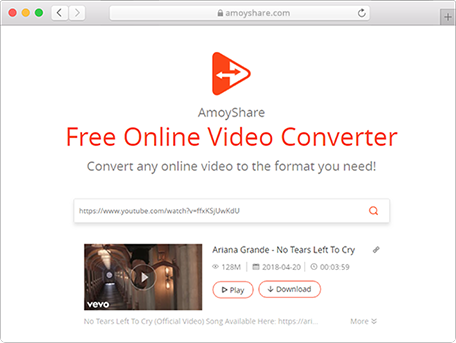
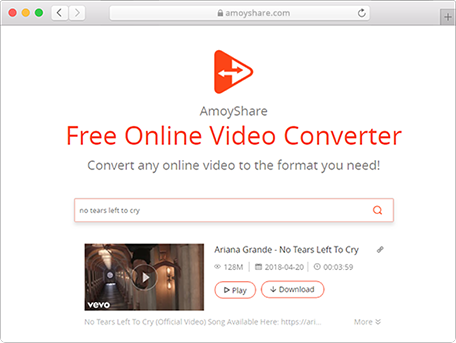
You can enjoy fast video search with video URL from the internet or enter video keywords like video name.
This online tool lets you convert YouTube videos to MP3 at 128 kbps, which is ideal for offline listening.
With this video converter, you can convert videos from Instagram, TikTok, and 500+ other sites to MP4.
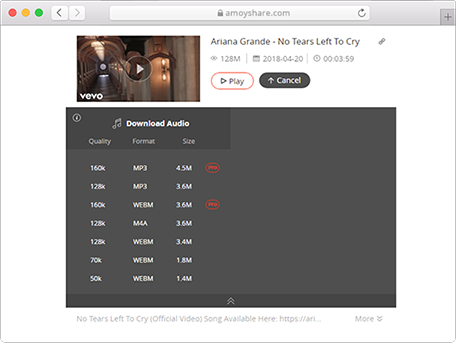
This YouTube to video converter offers MP3, M4A, and MP4 formats with various quality for choice.
Convert your favorite videos into MP3 and other audio formats in just two simple steps.
AmoyShare offers 2 effective ways to find your desired videos.
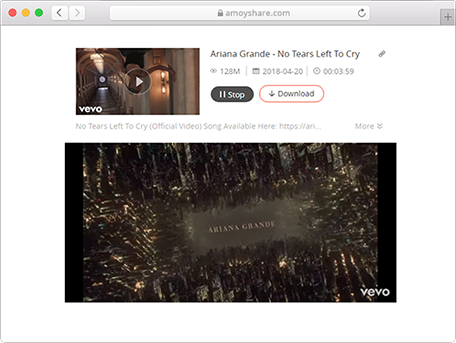
Select your preferred audio format, such as MP3, M4A, or MP4, and start the conversion instantly. You can also preview the video before converting.
Tip: This free online video converter offers multiple MP3 quality options. The final audio quality depends on the original video, but 128 kbps is usually sufficient for everyday listening.
To convert YouTube video to MP3 on your phone, simply paste a video link, choose MP3 as the output format, and start the conversion. This YouTube video converter works on both Android and iPhone.
AmoyShare AnyVid is a powerful video converter for Windows, Mac, and Android. It lets you easily convert videos to MP4 or extract MP3 audio from video files. Check more features about AnyVid below.
Any question about Free Online Video Converter?
Here are some questions and anwsers may solve your problems!
Is there a limit to the number of files I can convert?
To ensure the best experience, our online video converter supports up to 3 tasks per day. For more frequent use, you can try AnyVid for a smoother workflow.
Is it safe to convert online videos to MP3?
Yes, it is safe to convert videos to MP3 using our Free Online Video Converter. Your files are processed securely, and we respect your privacy by treating all data as strictly confidential.
Can I convert videos from any website?
Our Free Online Video Converter supports over 1,000 websites, including popular platforms like Facebook and Vimeo. You can easily convert videos from supported sites.
Have fun here? Give us a 5-star rating! We'll do better and better.
Last updated: 2026-03-26